Turning luggage tags into AR experiences for ServiceNow
I spent the last two months building something I didn't expect to work as well as it did: an AR experience that launches from a physical luggage tag. No app. No download. You scan a QR code and 3D content appears in your browser, personalized to you and your company.
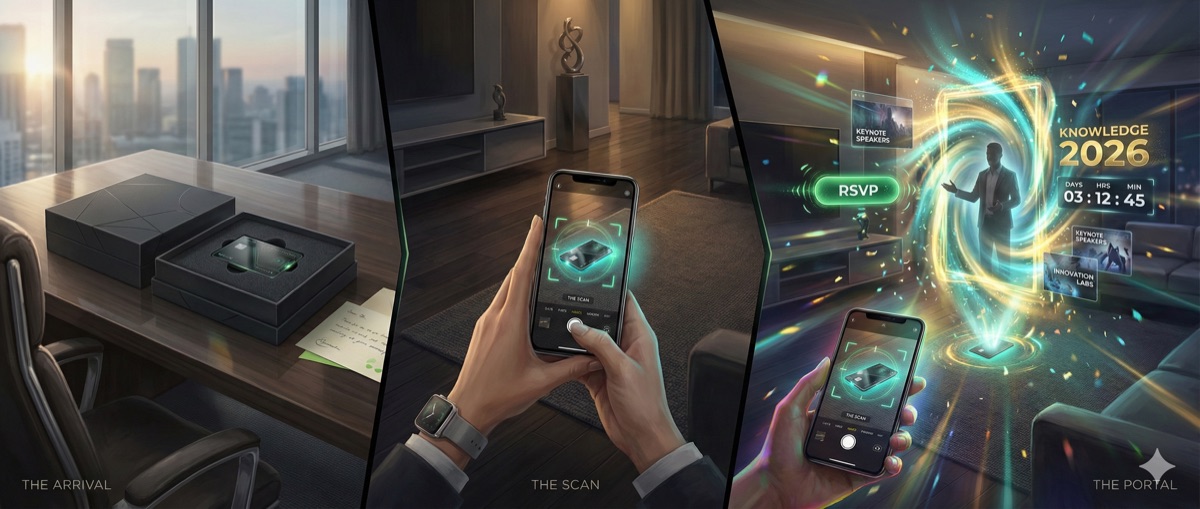
The client is ServiceNow. They're hosting their annual Knowledge conference in May at the Venetian in Las Vegas, and they wanted their invitations to Fortune 500 executives to actually feel worth opening. Not another email. Something you'd show a colleague.
The problem we were solving
ServiceNow's ABM team sends invitations to C-level execs at companies like Schneider Electric, Boeing, McDonald's, Costco, Walmart, and Ulta. These people get buried in conference invites. The bar for getting their attention is high.
Their previous AR experience had been built by an overseas agency. Slow turnaround, expensive, and spinning up a new account took weeks. They needed something that could scale to 50+ accounts without a proportional increase in effort.
What the experience looks like
The executive gets a box in the mail. Inside is a branded acrylic luggage tag with a leather loop, packed alongside some snacks and swag. On the tag: a QR code.
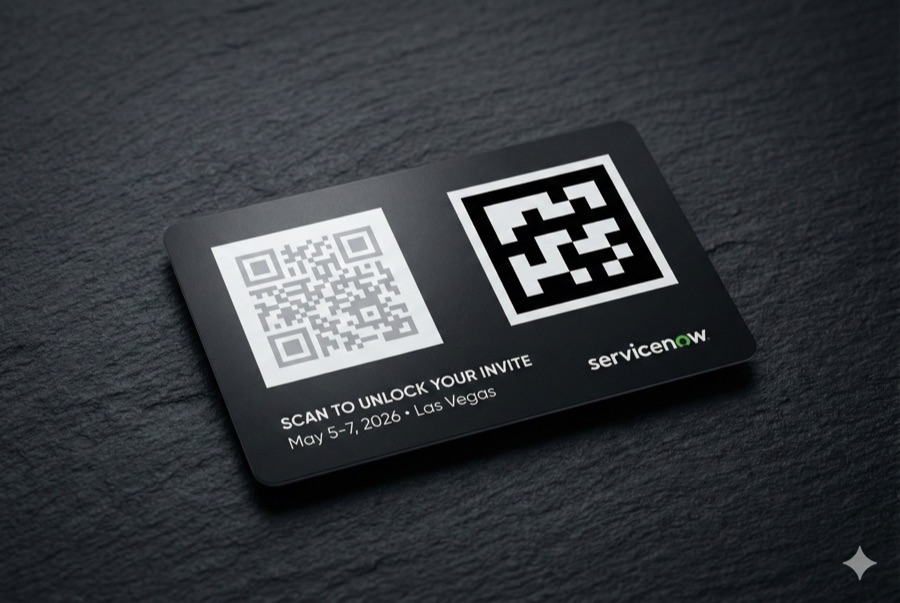
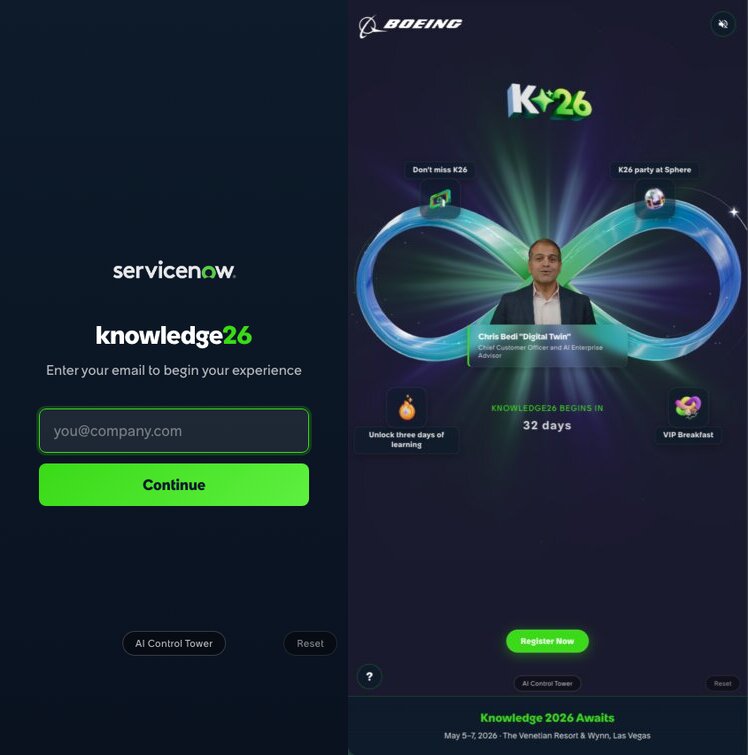
Scan it, and the AR experience opens right in Safari or Chrome. There's a quick email check (so we know who you are), then a personalized welcome screen with your name. A glowing infinity loop floats in 3D, branded to your company, with tappable hotspots linking to keynote sessions, VIP events, and registration. There's also a personalized video from ServiceNow's Chief Customer Officer.
Then you put the tag on your desk. Or your bag. Either way, it sticks around.
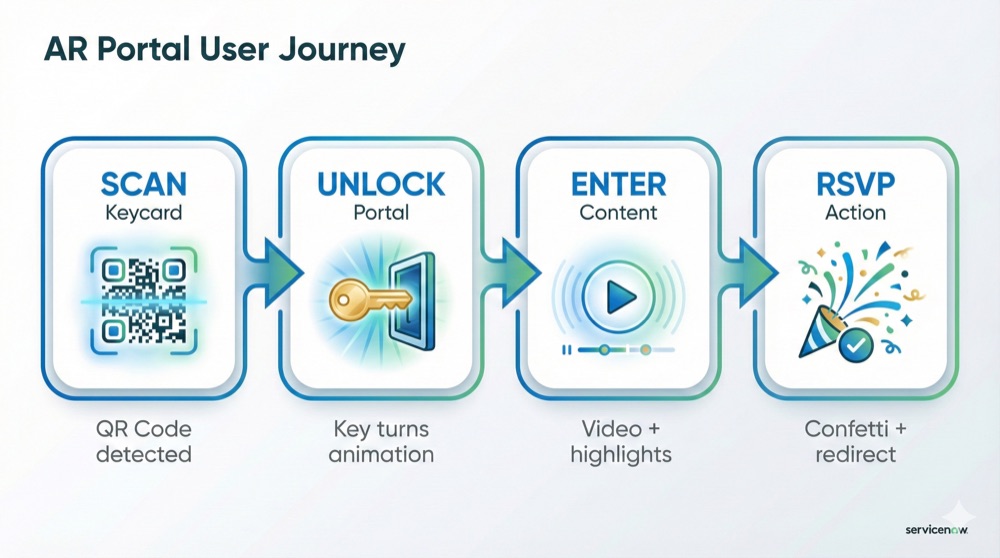
The one design decision I keep coming back to: no app download. Every friction point between "receives invitation" and "sees the content" is where you lose people. Killing the app store step probably mattered more than anything else we built.
How it's built
It's a TypeScript monorepo with three packages, deployed on Vercel.
The AR client runs in the browser with Three.js for 3D rendering and MindAR for image tracking. The infinity loop uses custom GLSL shaders for particle effects and lemniscate curve animations. Hotspot labels use CSS2DRenderer so they stay sharp at any zoom. The whole client bundle is under 3MB.
The API layer is serverless functions handling experience config, analytics, and PDF generation for print-ready QR codes. Each account gets a unique URL (like /costco or /schneider-electric), but it's the same client code pulling different config from the API.
Content lives in Sanity CMS. The marketing team can change account branding, hotspot text, event details, and RSVP links without us deploying anything. Adding a new account takes under an hour: create it in the CMS, upload a logo, pick colors, write the copy, done.
The MindAR decision
We looked at 8th Wall early on. It was the industry standard for WebAR image tracking. Then Niantic open-sourced parts of the platform in late February 2026, so we evaluated it again. Turns out the image tracking engine stayed proprietary, the binary was frozen, and the platform had been retired. No future updates.
MindAR does what we need: it tracks a printed marker at arm's length reliably, integrates natively with Three.js, and it's MIT licensed. I wouldn't call it best-in-class for every AR scenario, but for our use case it's solid and we don't depend on a company that might disappear.
A deployment gotcha worth mentioning
pnpm's strict dependency hoisting bit us. Serverless functions on Vercel couldn't resolve packages installed in workspace sub-packages. We ended up writing self-contained API functions that call Sanity's HTTP API with fetch() instead of importing the SDK. Not elegant, but it works and it's easy to reason about.
Scaling without multiplying effort
This is the part I'm most pleased with. Every account gets a different experience, but they all run on the same codebase. The CMS schema handles:
- Account branding (logo, colors, gradients)
- Experience format (we support an infinity loop and a portal variant, switched via a discriminated union in the type system)
- Six hotspot positions around the 3D visualization, each with its own content and links
- Per-account video with fallback to a generic version
- Countdown targets, RSVP URLs, event specifics
Adding account #7 is a content task. It doesn't touch code. That's the whole point.
Tracking engagement
We built a server-rendered dashboard that tracks four things:
- Opens (how many people scanned their tag)
- Video plays
- Hotspot views (which sessions and events got taps)
- RSVP clicks
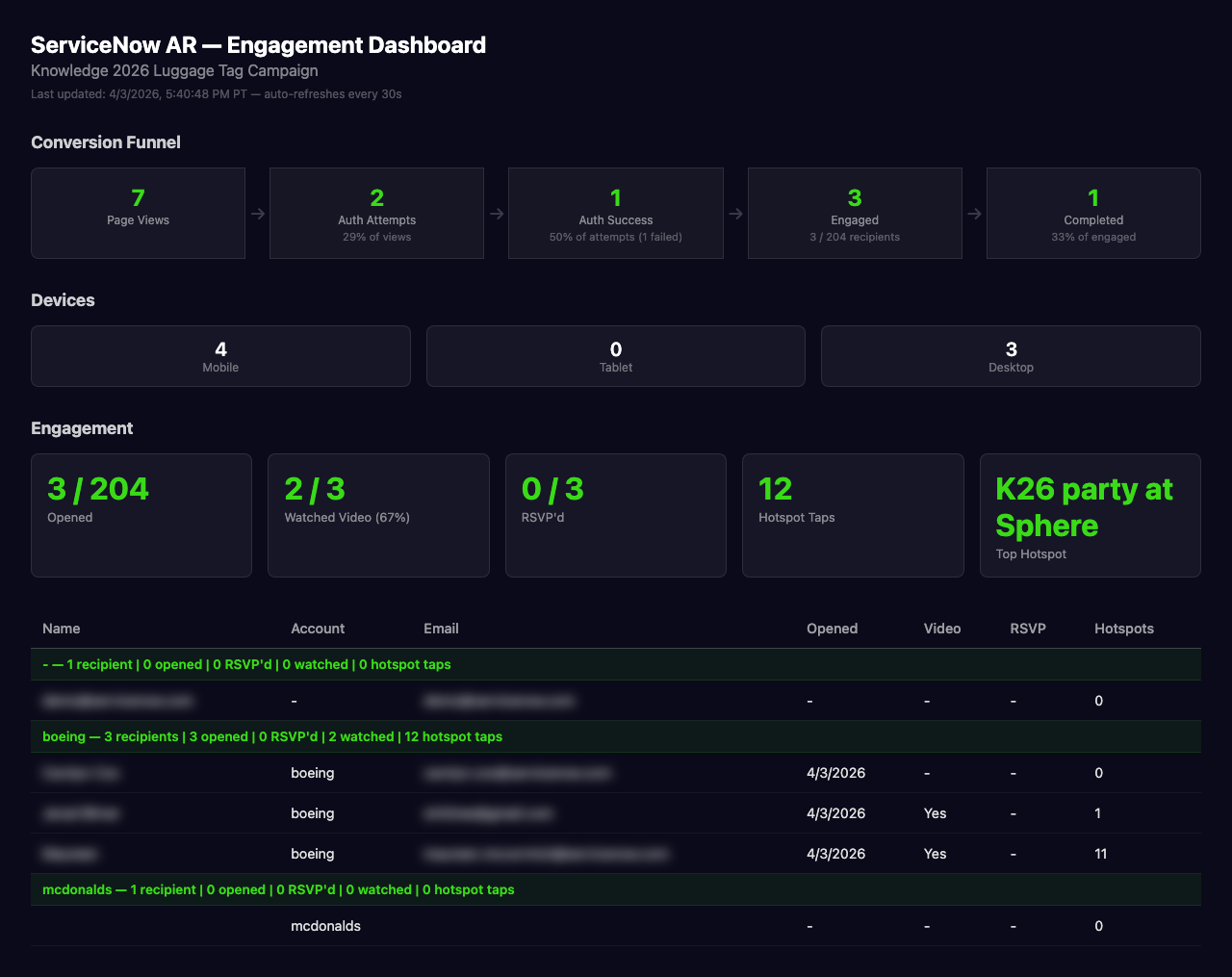
Every interaction fires a lightweight event to our tracking API. The dashboard loads fast because it's server-rendered, and the marketing team can access it with a simple authenticated URL.
I like this part because it closes a loop that physical marketing usually leaves open. You ship boxes, you hope for the best. Here, the team can see which accounts engaged, what they looked at, and whether they registered.
Things I'd do differently (and things that went right)
We spent real time on a crystal desk sculpture concept early in the project. Gorgeous idea. But manufacturing was complex, shipping was expensive, and the AR trigger surface was harder to work with. The luggage tag ended up being lighter, cheaper, and something people actually keep. Sometimes the less ambitious physical object is the better one.
Giving the marketing team a real-time CMS was the right call. Content changed constantly during the project. Event times shifted, RSVP links got updated, new accounts got added late. If every change required a deploy, we'd still be deploying.
A few recipients have already shown the experience to coworkers. That's the kind of organic reach you can't really plan for, but a physical object on someone's desk makes it more likely than a link in an email thread.
What comes next
This was Phase 1 of a broader AR strategy for ServiceNow. Phase 2 is immersive environment experiences: think walking through a warehouse and seeing ServiceNow data overlaid on equipment. Phase 3 is AR glasses with live platform data. We're a ways from that, but the templating architecture we built now should carry forward.
The tags are shipping this month. Knowledge 2026 is in May. I'll be watching the dashboard to see what happens.
Built with Three.js, MindAR, Sanity CMS, and Vercel. Designed and developed by Source.